Configuring 14 Email Providers
Smart Mail Merge includes 14 native email delivery engines. On the Free plan you send via Gmail (Default); on Pro, Business, and Lifetime plans you can connect any of the 11 enterprise transactional APIs below—or rotate across Gmail & Microsoft 365 Account Pools.
Every single provider supports full HTML bodies, dynamic CC/BCC, and merged PDF, DOCX, XLSX, and PNG attachments, plus a 1-click Test Configuration button and automatic Gmail fallback if a provider returns an error.
1. Gmail (Default)
Zero configuration required. Sends directly from your Google account using the Gmail REST API (with automatic MailApp fallback).
2. Amazon SES (V2 SigV4)
Cost-efficient, ultra-scalable AWS email delivery using native AWS4-HMAC-SHA256 signing and RFC-822 raw MIME attachments.
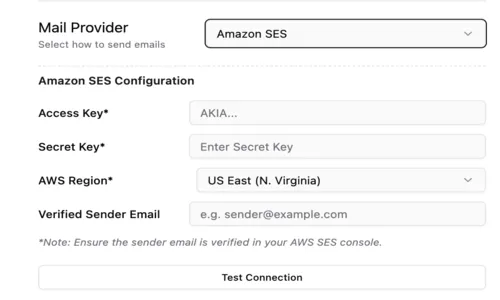
- In the AWS IAM Console, create a user with programmatic access and attach
AmazonSESFullAccess. Copy the Access Key and Secret Key. - In the Amazon SES Console → Verified Identities, verify your sender email address or domain.
- In Smart Mail Merge Mail Settings → Amazon SES, enter Access Key, Secret Key, AWS Region (e.g.,
us-east-1), and From Email, then click Test.
3. SendGrid
High-deliverability SendGrid v3 REST API integration.
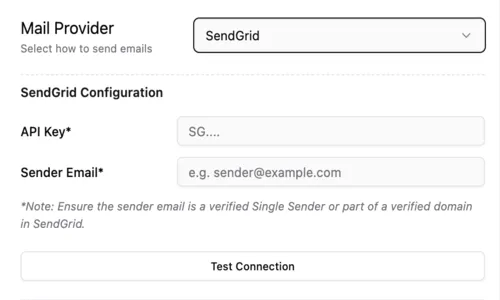
- In SendGrid → Settings → API Keys, create an API key with Mail Send permission.
- Verify your sender identity under Settings → Sender Authentication.
- Paste your API Key and From Email in Smart Mail Merge and click Test.
4. Mailgun (US & EU Regions)
Supports both standard US (api.mailgun.net) and GDPR-compliant EU (api.eu.mailgun.net) endpoints with multipart attachments.
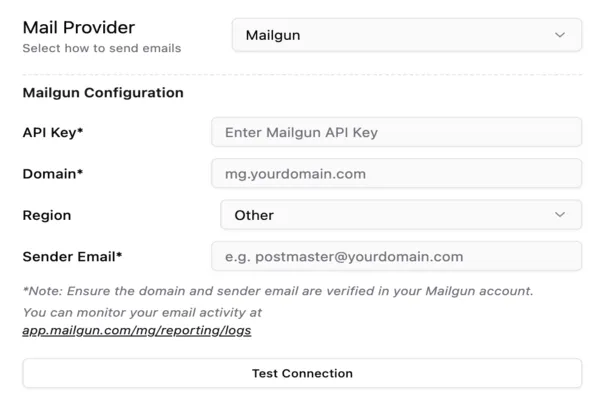
- Verify your sending domain in Mailgun → Sending → Domains.
- Copy your Private API Key from API Security.
- Enter API Key, Domain, Region (
USorEU), and From Email in Smart Mail Merge.
5. Postmark
Fast transactional inbox placement for invoices, receipts, and form confirmations.
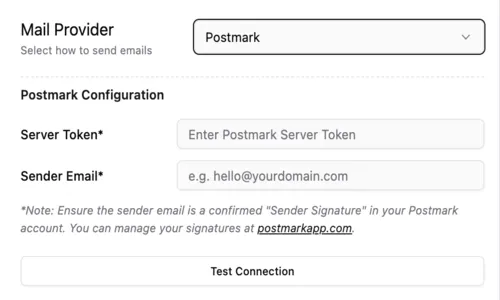
- Open your Postmark Server → API Tokens and copy the Server Token.
- Verify your Sender Signature (email or domain).
- Enter Server Token and From Email in Smart Mail Merge and click Test.
6. Brevo (Sendinblue)
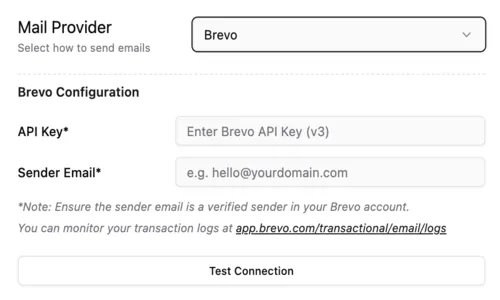
- Go to Brevo → SMTP & API → API Keys and generate a v3 API key.
- Verify your sender under Senders & IP.
- Enter API Key and From Email in Smart Mail Merge.
7. Resend
Modern developer-friendly email API built directly into Google Sheets™ and Forms™.
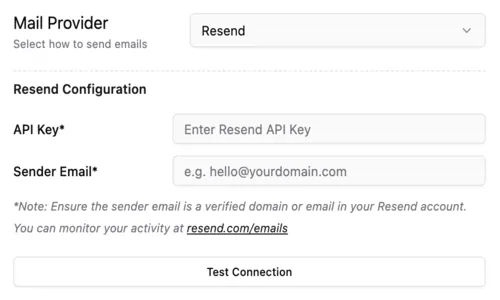
- Verify your domain in Resend → Domains and create a key under API Keys.
- Paste your Resend API Key and verified From Email in Smart Mail Merge.
8. Mailjet
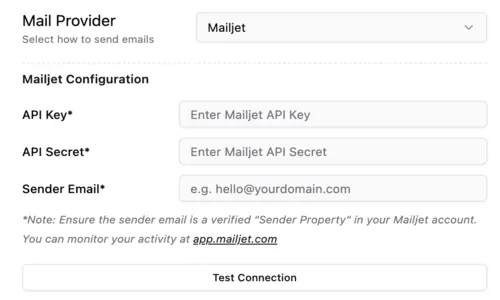
- Copy your API Key and Secret Key from Mailjet → Account Settings → API Key Management.
- Verify your sender address and enter API Key, API Secret, and From Email.
9. Mailchimp Transactional (Mandrill)
Includes track_opens and track_clicks enabled automatically on outgoing sends.
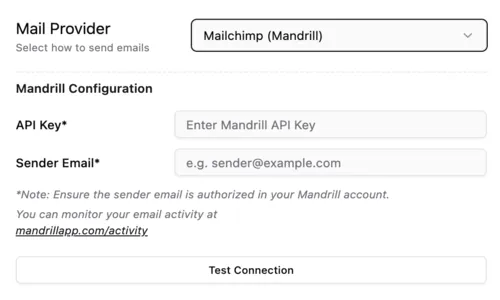
- Generate an API key in Mailchimp Transactional → Settings → API Keys and authenticate your sending domain.
- Enter API Key and From Email in Smart Mail Merge.
10. Bird, MailerSend & Mailtrap
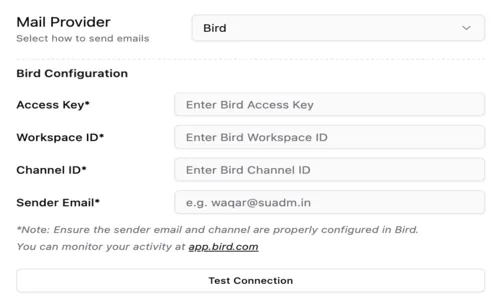
- Bird: Enter Access Key, Workspace ID, Channel ID, and From Email.
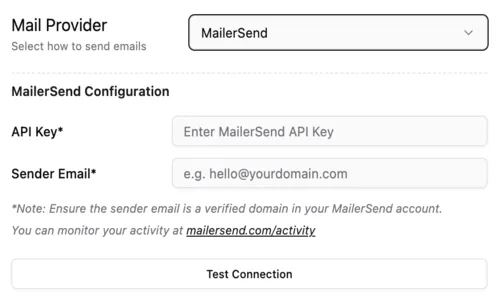
- MailerSend: Generate an API token with sending permission, verify your domain, and enter API Key + From Email.
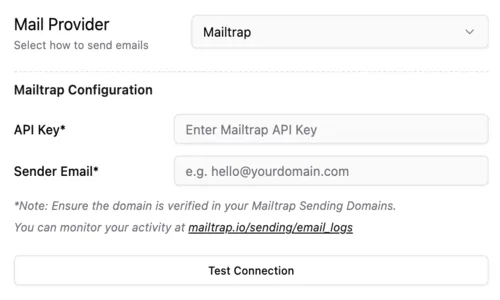
- Mailtrap: Paste your Mailtrap API Token and From Email for production sending or safe sandbox testing.
Ready to launch your first mail merge?
Install Smart Mail Merge free from the Google Workspace Marketplace (includes a 7-day Pro trial).